IndiMail 1.7.3 comes with option in svctool to install QMQP service. IndiMail 1.7.5 will come with RPM package indimail-mini which will allow you to install a mini indimail installation. A mini indimail installation comes up with a bare minimum list of programs to enable you to send out mails. A indimail-mini installation doesn't have a mail queue. Instead it gives each new message to a central server through QMQP.
Many of my friends run web servers which need to send out emails. If you already have an installation of IndiMail messaging server on your network, you can quickly setup a mini indimail installation on your web server, without impacting the performance by using QMQP. To use QMQP service, you need to have QMQP service running on your IndiMail messaging server. All other servers (including your webservers) can have a indimail-mini installation.
How do I set up a QMQP service?
You need to have at least one host on your network offering QMQP service to your clients. IndiMail includes a QMQP server, qmail-qmqpd. Here's how to set up QMQP service to authorized client hosts on your IndiMail messaging server.
first create /var/indimail/etc/tcp.qmqp in tcprules format to allow queueing from the authorized hosts. make sure to deny connections from unauthorized hosts. for example, if queueing is allowed from 1.2.3.*:
1.2.3.:allow
:deny
Then create /var/indimail/etc/tcp.qmqp.cdb:
% sudo /var/indimail/bin/tcprules /var/indimail/etc/tcp.qmqp.cdb \
/var/indimail/etc/qmqp.tmp < /var/indimail/etc/tcp.qmqp
You can change /var/indimail/etc/tcp.qmqp and run tcprules again at any time. Finally qmail-qmqpd to be run under supervise:
% sudo /var/indimail/sbin/svctool --qmqp=628 --servicedir=/service \
--qbase=/var/indimail/queue --qcount=5 --qstart=1 \
--cntrldir=control --localip=0 \
--maxdaemons=75 --maxperip=25 --fsync --syncdir \
--memory=104857600 --min-free=52428800
628 is the TCP port for QMQP.
How do I install indimail-mini?
A indimail-mini installation is just like a indimail installation, except that it's much easier to set up:
* You don't need MySQL
* You don't need /var/indimail/alias. A indimail-mini installation doesn't do any local delivery.
* You don't need indimail entries in /etc/group or /etc/passwd. indimail-mini runs with the same privileges as the user sending mail; it doesn't have any of its own files.
* You don't need to start anything from your boot scripts. indimail-mini doesn't have a queue, so it doesn't need a long-running queue manager.
* You don't need to add anything to inetd.conf. A null client doesn't receive incoming mail.
Here's what you do need:
* qmail-qmqpc, forward, qmail-inject, sendmail, predate, datemail, mailsubj, qmail-showctl, maildirmake, maildir2mbox, maildirwatch, qail, elq, and pinq in /var/indimail/bin;
* a symbolic link to qmail-qmqpc from /var/indimail/bin/qmail-queue;
* symbolic links to /var/indimail/bin/sendmail from /usr/sbin/sendmail and /usr/lib/sendmail (for Fedora see the topic on /usr/sbin/alternatives below)
* all the manual pages in /var/indimail/man;
You can install all the above by manually copying the binaries and man pages from a host having standard IndiMail installation or you can using the indimail-mini RPM
% sudo rpm -ivh indimail-mini-1.7.5-1.1.i386.rpm
Apart from the binaries, you need to do the following
* a list of IP addresses of QMQP servers, one per line, in /var/indimail/control/qmqpservers;
* a copy of /var/indimail/control/me, /var/indimail/control/defaultdomain, and /var/indimail/control/plusdomain from your central server, so that qmail-inject uses appropriate host names in outgoing mail; and
* this host's name in /var/indimail/control/idhost, so that qmail-inject generates Message-ID without any risk of collision.
Everything can be shared across hosts except for /var/indimail/control/idhost.
Remember that users won't be able to send mail if all the QMQP servers are down. Most sites have two or three independent QMQP servers.
Note that users can still use all the qmail-inject environment variables to control the appearance of their outgoing messages.
Fedora - Using /usr/sbin/alternatives
Sometimes two or more Fedora package exist that serve the same purpose. The alternatives system provides a mechanism for selecting an active default application from several valid alternatives. You can use the alternatives system to configure as an alternative MTA for your system. Using alternatives, you don't have to create the links to /var/indimail/bin/sendmail manually as instructed above.
% sudo /usr/sbin/alternatives --install \
/usr/sbin/sendmail mta /var/indimail/bin/sendmail 120 \
--slave /usr/share/man/man8/sendmail.8.gz mta-sendmailman \
/var/indimail/man/man8/qmail-inject.8.gz \
--slave /usr/lib/sendmail mta-sendmail \
/var/indimail/bin/sendmail
/usr/sbin/alternatives --set mta /var/indimail/bin/sendmail
You can download IndiMail at
http://sourceforge.net/projects/indimail/
The RPM can be downloaded from
http://download.opensuse.org/repositories/home:/indimail/
NOTE: This document is based on 'Installing min-qmail' by djb
IndiMail is a Secure, Reliable, Efficient Messaging Platform which provides you everything needed in a modern messaging server - ESMTP, IMAP, POP3, QMTP, QMQP and many other features. IndiMail gives you speeds that are faster than most MTAs. The flexibility provided by IndiMail's authentication methods allow any IMAP/POP3 server to be used with IndiMail. IndiMail is built for speed and flexibility. You can download the source or use the binary RPM generated by openSUSE Build Service.
Friday, May 21, 2010
Sunday, May 2, 2010
Instant Mail to domains added by vadddomain
IndiMail has a program called vbulletin using which you can instantly email all your subscribers in a domain that has been created using vadddomain. Whenever an authentication requests comes to IndiMail through POP3, IMAP or authenticated SMTP, a hook called Login_Tasks gets called. One of the job that Login_Tasks does is to look for a file, in RFC822 format, with ",all" in the end of the filename. If such a file is found, it is copied to the user's Maildir. By using the timestamp of the original file, Login_Tasks also ensures that the file is copied once only.
The good thing about using bulletins is that the email is available instantly to all users. No queues, no delays and a huge saving of system resources.
You can manually copy the file to /var/indimail/control/domain_name/bulk_mail directory or use the vbulletin command
% vbulletin -f /tmp/new_offers.eml -a example.com
vbulletin is especially useful when you want to target a subsection of your users or when you have large number of mail delivery hosts in an IndiMail cluster.
Read the man page vbulletin(1) for more details
The good thing about using bulletins is that the email is available instantly to all users. No queues, no delays and a huge saving of system resources.
You can manually copy the file to /var/indimail/control/domain_name/bulk_mail directory or use the vbulletin command
% vbulletin -f /tmp/new_offers.eml -a example.com
vbulletin is especially useful when you want to target a subsection of your users or when you have large number of mail delivery hosts in an IndiMail cluster.
Read the man page vbulletin(1) for more details
Thursday, April 29, 2010
Spam Control using badip control file
IndiMail has many methods
to help deal with spam. For detecting spam, IndiMail
uses bogofilter a
fast bayesian spam filter. IndiMail's
qmail-smtpd which provides SMTP protocol is neatly integrated with
bogofilter. When bogofilter
detects spam, qmail-smtpd prints the X-Bogosity header as part of
SMTP transaction log
The value "Yes" in X-Bogosity indicates spam. You can tell qmail-smtpd to reject such mails at SMTP just by doing
SMTP clients which tries to send a spam mail will get the following error at the end of the SMTP transaction
For turning on the BADIP functionality, you need to set the BADIPCHECK or the BADIP environment variable. i.e.
Clients whose IP match an entry in badip will be greeted as below
A large ISP can run the following command every day once in cron
If your badip files becomes very large, you can also take advantage of IndiMail's ability to use cdb (or you could use MySQL too)
%
grep "X-Bogosity, Yes" /var/log/svc/smtpd.25/current
@400000004bc8183f01fcbc54
qmail-smtpd: pid 16158 from ::ffff:88.191.35.203 HELO X-Bogosity:
Yes, spamicity=0.999616, cutoff=9.90e-01, ham_cutoff=0.00e+00,
queueID=6cs66604wfk,
The value "Yes" in X-Bogosity indicates spam. You can tell qmail-smtpd to reject such mails at SMTP just by doing
#
echo 1 >
/service/qmail-smtpd.25/variables/REJECTSPAM
# svc -d /service/qmail-smtpd.25
# svc -u /service/qmail-smtpd.25
# svc -d /service/qmail-smtpd.25
# svc -u /service/qmail-smtpd.25
SMTP clients which tries to send a spam mail will get the following error at the end of the SMTP transaction
554 SPAM or junk mail threshold
exceeded (#5.7.1)
The mail will get bounced. In some cases you would want to issue
temporary error to such clients. In the above SMTP transaction log,
the IP address of the client was 88.191.35.203. To put such client's
into IndiMail's SPAM
blacklist, you just need to put the IP address in the control file
/etc/indimail/control/badip
#
echo 88.191.35.203 >>
/etc/indimail/control/badip
For turning on the BADIP functionality, you need to set the BADIPCHECK or the BADIP environment variable. i.e.
#
echo badip >
/service/qmail-smtpd.25/variables/BADIP
# svc -d /service/qmail-smtpd.25
# svc -u /service/qmail-smtpd.25
# svc -d /service/qmail-smtpd.25
# svc -u /service/qmail-smtpd.25
Clients whose IP match an entry in badip will be greeted as below
421 indimail.org sorry, your
IP (::ffff:88.191.35.203) is temporarily denied (#4.7.1)
Also the client will not be able to carry out any SMTP
transactions like ehlo, MAIL FROM, RCPT TO, etcA large ISP can run the following command every day once in cron
grep
"X-Bogosity, Yes" /var/log/svc/qmail.smtpd.25/current
>
/etc/indimail/control/badip
If your badip files becomes very large, you can also take advantage of IndiMail's ability to use cdb (or you could use MySQL too)
%
sudo /usr/bin/qmail-cdb
badip
Monday, April 26, 2010
Web Administration for IndiMail
I always find using the web ugly. It is a pain using the mouse almost all the time to do anything. One of the reasons I have never focussed on building a web administration tool for Indimail.
Lately my users have been pestering me if something can be done about it. I have no knowledge of web scripting, etc. But using some bit of common sense, I have managed to make qmailadmin work with IndiMail by modifying the source code (lucky for me, they are written in C).
For the admin user it provides
http://sourceforge.net/projects/indimail/files/iwebadmin
The RPM / Yum Repo file can be downloaded from
http://software.opensuse.org/download.html?project=home:indimail&package=iwebadmin
You can download IndiMail at
http://sourceforge.net/projects/indimail/
The RPM can be downloaded from
http://download.opensuse.org/repositories/home:/indimail/
After installation, you just need to go to http://127.0.0.1/cgi-bin/iwebadmin
The image assets get installed in /var/www/html/images/iwebadmin
The html assets get installed in /var/indimail/share/iwebadmin
The screen shots are below

Lately my users have been pestering me if something can be done about it. I have no knowledge of web scripting, etc. But using some bit of common sense, I have managed to make qmailadmin work with IndiMail by modifying the source code (lucky for me, they are written in C).
For the admin user it provides
- user addition
- user deletion
- password change
- adding autoresponders
- deleting autoresponders
- modifying autoresponders
- adding forwarding addresses
- deleting forwarding addresses
- modifying forwarding addreses
- quota modification
- Password change
- add/modify/delete forwarding addresses
- add/modify/delete autoresponder
http://sourceforge.net/projects/indimail/files/iwebadmin
The RPM / Yum Repo file can be downloaded from
http://software.opensuse.org/download.html?project=home:indimail&package=iwebadmin
You can download IndiMail at
http://sourceforge.net/projects/indimail/
The RPM can be downloaded from
http://download.opensuse.org/repositories/home:/indimail/
After installation, you just need to go to http://127.0.0.1/cgi-bin/iwebadmin
The image assets get installed in /var/www/html/images/iwebadmin
The html assets get installed in /var/indimail/share/iwebadmin
The screen shots are below

Saturday, April 24, 2010
Post Handle
IndiMail
provides a handle post successful operation of few programs. A post
execution handle is a program with the same name as that of the
calling program but in the directory /usr/libexec/indimail. On
successful completion, such programs will execute the handle program
and return the status of the called handle program.
In my experience of setting up mail servers in the corporate world, often it is required that users be added to external databases which could be part of some strange enterprise applications. It could be as simple as adding users to your ldap server when creating a mailbox on IndiMail. Sometimes it could be as bad as adding users to ADS (ugh).
IndiMail (release 1.6.9 onwards) provides you a hook, to execute any program after successful completion of the programs, vadddomain, vaddaliasdomain, vdeldomain, vadduser and vdeluser, vrenamedomain, vrenameuser, vmovuser, vpasswd.
A hook can be defined by creating a script or an executable in /usr/libexec/indimail with the name of the program being executed. e.g. if you create a script named vadduser in the directory /usr/libexec/indimail, the script will get executed whenever the program vadduser is used to add a user to indimail. The execution happens only if the program completes successfully. Depending on what you need to do, you can customize the scripts in a jiffy.
The hook script name can be overridden by setting the POST_HANDLE environment variable.
See the man pages of vadddomain, vaddaliasdomain, vdeldomain, vadduser, vmoduser, vmoveuser, vdeluser, vrenamedomain, vrenameuser, vpasswd.
for more details.
Let me know if you create an interesting script.
Example of using a handle is when adding a user, you want vuserinfo to be run.
If you have the above, then this is what will happen when you add a user
I personally use post execution handle for adding some mandatory users every time I add a new domain. So this is what my vadddomain handle looks like
In my experience of setting up mail servers in the corporate world, often it is required that users be added to external databases which could be part of some strange enterprise applications. It could be as simple as adding users to your ldap server when creating a mailbox on IndiMail. Sometimes it could be as bad as adding users to ADS (ugh).
IndiMail (release 1.6.9 onwards) provides you a hook, to execute any program after successful completion of the programs, vadddomain, vaddaliasdomain, vdeldomain, vadduser and vdeluser, vrenamedomain, vrenameuser, vmovuser, vpasswd.
A hook can be defined by creating a script or an executable in /usr/libexec/indimail with the name of the program being executed. e.g. if you create a script named vadduser in the directory /usr/libexec/indimail, the script will get executed whenever the program vadduser is used to add a user to indimail. The execution happens only if the program completes successfully. Depending on what you need to do, you can customize the scripts in a jiffy.
The hook script name can be overridden by setting the POST_HANDLE environment variable.
See the man pages of vadddomain, vaddaliasdomain, vdeldomain, vadduser, vmoduser, vmoveuser, vdeluser, vrenamedomain, vrenameuser, vpasswd.
for more details.
Let me know if you create an interesting script.
Example of using a handle is when adding a user, you want vuserinfo to be run.
% cat
/var/indimail/libexec/vadduser
exec /var/indimail/bin/vuserinfo $1
If you have the above, then this is what will happen when you add a user
% sudo
/var/indimail/bin/vadduser test05@example.com
New IndiMail password for test05@example.com:
Retype new IndiMail password:
name : test05@example.com
passwd : $1$awb5a5oV$/3rsmlKSu.wzwIFhBzMf7/ (MD5)
uid : 1
gid : 0
-all services available
gecos : test05
dir : /home/mail/T2Zsym/example.com/test05 (missing)
quota : 5242880 [5.00 Mb]
curr quota : 0S,0C
Mail Store IP : 192.168.1.100 (Clustered - local)
Mail Store ID : 1000
Sql Database : 192.168.1.100:indimail:ssh-1.5-
Table Name : indimail
Relay Allowed : NO
Days inact : 0 days 00 Hrs 00 Mins 00 Secs
Added On : ( 127.0.0.1) Sat Apr 24 19:49:06 2010
last auth : Not yet logged in
last IMAP : Not yet logged in
last POP3 : Not yet logged in
PassChange : Not yet Changed
Inact Date : Not yet Inactivated
Activ Date : ( 127.0.0.1) Sat Apr 24 19:49:06 2010
Delivery Time : No Mails Delivered yet / Per Day Limit not configured
New IndiMail password for test05@example.com:
Retype new IndiMail password:
name : test05@example.com
passwd : $1$awb5a5oV$/3rsmlKSu.wzwIFhBzMf7/ (MD5)
uid : 1
gid : 0
-all services available
gecos : test05
dir : /home/mail/T2Zsym/example.com/test05 (missing)
quota : 5242880 [5.00 Mb]
curr quota : 0S,0C
Mail Store IP : 192.168.1.100 (Clustered - local)
Mail Store ID : 1000
Sql Database : 192.168.1.100:indimail:ssh-1.5-
Table Name : indimail
Relay Allowed : NO
Days inact : 0 days 00 Hrs 00 Mins 00 Secs
Added On : ( 127.0.0.1) Sat Apr 24 19:49:06 2010
last auth : Not yet logged in
last IMAP : Not yet logged in
last POP3 : Not yet logged in
PassChange : Not yet Changed
Inact Date : Not yet Inactivated
Activ Date : ( 127.0.0.1) Sat Apr 24 19:49:06 2010
Delivery Time : No Mails Delivered yet / Per Day Limit not configured
I personally use post execution handle for adding some mandatory users every time I add a new domain. So this is what my vadddomain handle looks like
% cat
/var/indimail/libexec/vadddomain
/var/indimail/bin/vdominfo $1
/var/indimail/bin/valias -i '®ister-spam' register-spam@$1
/var/indimail/bin/valias -i '®ister-ham' register-ham@$1
/var/indimail/bin/valias -i '&spam' spam@$1
/var/indimail/bin/valias -i '&ham' ham@$1
/var/indimail/bin/vadduser -e prefilt@$1 xxxxxxxx
/var/indimail/bin/vadduser -e postfilt@$1 xxxxxxxx
/var/indimail/bin/vcfilter -i -t spamFilter -c 3 -k "Yes, spamicity=" -f Spam -b 0 -h 33 prefilt@$1
/bin/ls -dl /var/indimail/domains/$1
/bin/ls -al /var/indimail/domains/$1
exit 0
/var/indimail/bin/vdominfo $1
/var/indimail/bin/valias -i '®ister-spam' register-spam@$1
/var/indimail/bin/valias -i '®ister-ham' register-ham@$1
/var/indimail/bin/valias -i '&spam' spam@$1
/var/indimail/bin/valias -i '&ham' ham@$1
/var/indimail/bin/vadduser -e prefilt@$1 xxxxxxxx
/var/indimail/bin/vadduser -e postfilt@$1 xxxxxxxx
/var/indimail/bin/vcfilter -i -t spamFilter -c 3 -k "Yes, spamicity=" -f Spam -b 0 -h 33 prefilt@$1
/bin/ls -dl /var/indimail/domains/$1
/bin/ls -al /var/indimail/domains/$1
exit 0
Monday, April 19, 2010
Envrules for IndiMail
IndiMail allows you to
configure most of its functionality through set of environment
variables. In fact there more more than 200 features that can be
controlled just by setting or un-setting environment variables.
envrules is applicable to qmail-smtpd, qmail-inject,
qmail-local, qmail-remote as well. It can also be used
to control programs called by the above programs (e.g qmail-queue).
IndiMail allows you to
configure quite many things using environment variables. Just set the
environment variable CONTROLDIR=control2 and all qmail
components of IndiMail start looking for control files in
/var/indimail/control2. You can set CONTROLDIR=/etc/indimail
and all control files can be conveniently placed in /etc/indimail.
Some of these environment variables can be set during the startup of various services. IndiMail has all its services configured as directories in the /service directory. As an example, if you want to force authenticated SMTP on all your users, setting the environment variable REQUIREAUTH allows you to do so.
sets the qmail-smtpd running on port 587 to force authentication.
Setting environment variables in your startup script, in your .profile or your shell forces you to permanently set the environment variable to a specific value. Using envrules, IndiMail allows you to set these environment variables specific to different senders or recipients. envrules allows IndiMail platform to be tuned differently for different users. No other messaging platform, to the best of my knowledge, is capable of doing that. Another way of saying is that envrules allows your IndiMail platform to dynamically change its behavior for each and every user.
For the SMTP service, you can set different environment variables for different senders. All that is required is to define the following in the control file /etc/indimail/control/from.envrules. The format of this file is of the form
pattern:envar1=val,envar2=val,...]
where pattern is a regular expression which matches a sender. envar1, envar2 are list of environment variables to be set. If val is omitted, the environment variable is unset. The name of the control file can be overridden by the environment variable FROMRULES. e.g. having the following in from.envrules
*consultant:REQUIREAUTH=1,NORELAY=1
forces all users whose email ids end with 'consultant' to authenticate while sending mails. Also such users will be prevented from sending mails to outside your domain.
ceo@example.com:DATASIZE=
Removes all message size restrictions for the user whose email address is ceo@example.com, by unsetting the environment variable DATASIZE.
You can also set envrules on per recipient basis. This gets set for qmail-local & qmail-remote. The control file to be used in this case is /etc/indimail/control/rcpt.envrules. The filename can be overridden by RCPTRULES environment variable.
.e.g
*.yahoo.com:OUTGOINGIP=192.168.2.100
The OUTGOINGIP environment variable is used by qmail-remote to bind on a specific IP address when connecting to the remote SMTP server. The above envrule forces qmail-remote to use 192.168.2.100 as the outgoing IP address when sending mails to any recipient at yahoo.com.
For SMTP service the following the following list of environment variables can be modified using envrules
REQUIREAUTH, QREGEX, ENFORCE_FQDN_HELO, DATABYTES, BADHELOCHECK, BADHELO, BADHOST, BADHOSTCHECK, TCPPARANOID, NODNSCHECK, VIRUSCHECK, VIRUSFORWARD, REMOVEHEADERS, ENVHEADERS, LOGHEADERS, LOGHEADERFD, SIGNATURES, BODYCHECK, BADMAILFROM, BADMAILFROMPATTERNS, BOUNCEMAIL, CUGMAIL, MASQUERADE, BADRCPTTO, BADRCPTPATTERNS, GOODRCPTTO, GOODRCPTPATTERNS, GREYIP, GREETDELAY, CLIENTCA, TLSCIPHERS, SERVERCERT, BLACKHOLERCPT, BLACKHOLERCPTPATTERNS, SIGNKEY, SIGNKEYSTALE, SPFBEHAVIOR, TMPDIR, TARPITCOUNT, TARPITDELAY, MAXRECIPIENTS, MAX_RCPT_ERRCOUNT, AUTH_ALL, CHECKRELAY, CONTROLDIR, ANTISPOOFING, CHECKRECIPIENT, SPAMFILTER, LOGFILTER, SPAMFILTERARGS, SPAMEXITCODE, REJECTSPAM, SPAMREDIRECT, SPAMIGNORE, SPAMIGNOREPATTERNS, FILTERARGS, QUEUEDIR, QUEUE_BASE, QUEUE_START, QUEUE_COUNT, QMAILQUEUE, QUEUEPROG, RELAYCLIENT, QQEH, BADEXT, BADEXTPATTERNS, ACCESSLIST, EXTRAQUEUE, QUARANTINE, QHPSI, QHPSIMINSIZE, QHPSIMAXSIZE, QHPSIRC, QHPSIRN, USE_FSYNC, SCANCMD, PLUGINDIR, QUEUE_PLUGIN, PASSWORD_HASH, MAKESEEKABLE, MIN_FREE, ERROR_FD, DKSIGN, DKVERIFY, DKSIGNOPTIONS, DKQUEUE, DKEXCLUDEHEADERS, DKIMSIGN, DKIMVERIFY, DKIMPRACTICE, DKIMIDENTITY, DKIMEXPIRE, SIGN_PRACTICE DKIMQUEUE, SIGNATUREDOMAINS, and NOSIGNATUREDOMAINS
The following list of environment variables can be modified using envrules if QMAILLOCAL and QMAILREMOTE is set to /var/indimail/bin/spawn-filter.
QREGEX, SPAMFILTER, LOGFILTER, SPAMFILTERARGS, FILTERARGS, SPAMEXITCODE, HAMEXITCODE, UNSUREEXITCODE, REJECTSPAM, SPAMREDIRECT, SPAMIGNORE, SPAMIGNOREPATTERNS, DATABYTES, MDA, MYSQL_INIT_COMMAND, MYSQL_READ_DEFAULT_FILE, MYSQL_READ_DEFAULT_GROUP, MYSQL_OPT_CONNECT_TIMEOUT, MYSQL_OPT_READ_TIMEOUT, MYSQL_OPT_WRITE_TIMEOUT, QUEUEDIR, QUEUE_BASE, QUEUE_START, QUEUE_COUNT, and TMPDIR
The following list of environment variables which can be modified using envrules are specfic to qmail-remote.
CONTROLDIR, SMTPROUTE, SIGNKEY, OUTGOINGIP, DOMAINBINDINGS, AUTH_SMTP, MIN_PENALTY, and MAX_TOLERANCE
The following list of environment variables which can be modified using envrules are specfic to qmail-local.
USE_SYNCDIR, USE_FSYNC, and LOCALDOMAINS
Some of these environment variables can be set during the startup of various services. IndiMail has all its services configured as directories in the /service directory. As an example, if you want to force authenticated SMTP on all your users, setting the environment variable REQUIREAUTH allows you to do so.
% su
# echo 1 >
/service/qmail-smtpd.587/variables/REQUIREAUTH
# svc -d
/service/qmail-smtpd.587
# svc -u
/service/qmail-smtpd.587
sets the qmail-smtpd running on port 587 to force authentication.
Setting environment variables in your startup script, in your .profile or your shell forces you to permanently set the environment variable to a specific value. Using envrules, IndiMail allows you to set these environment variables specific to different senders or recipients. envrules allows IndiMail platform to be tuned differently for different users. No other messaging platform, to the best of my knowledge, is capable of doing that. Another way of saying is that envrules allows your IndiMail platform to dynamically change its behavior for each and every user.
For the SMTP service, you can set different environment variables for different senders. All that is required is to define the following in the control file /etc/indimail/control/from.envrules. The format of this file is of the form
pattern:envar1=val,envar2=val,...]
where pattern is a regular expression which matches a sender. envar1, envar2 are list of environment variables to be set. If val is omitted, the environment variable is unset. The name of the control file can be overridden by the environment variable FROMRULES. e.g. having the following in from.envrules
*consultant:REQUIREAUTH=1,NORELAY=1
forces all users whose email ids end with 'consultant' to authenticate while sending mails. Also such users will be prevented from sending mails to outside your domain.
ceo@example.com:DATASIZE=
Removes all message size restrictions for the user whose email address is ceo@example.com, by unsetting the environment variable DATASIZE.
You can also set envrules on per recipient basis. This gets set for qmail-local & qmail-remote. The control file to be used in this case is /etc/indimail/control/rcpt.envrules. The filename can be overridden by RCPTRULES environment variable.
.e.g
*.yahoo.com:OUTGOINGIP=192.168.2.100
The OUTGOINGIP environment variable is used by qmail-remote to bind on a specific IP address when connecting to the remote SMTP server. The above envrule forces qmail-remote to use 192.168.2.100 as the outgoing IP address when sending mails to any recipient at yahoo.com.
For SMTP service the following the following list of environment variables can be modified using envrules
REQUIREAUTH, QREGEX, ENFORCE_FQDN_HELO, DATABYTES, BADHELOCHECK, BADHELO, BADHOST, BADHOSTCHECK, TCPPARANOID, NODNSCHECK, VIRUSCHECK, VIRUSFORWARD, REMOVEHEADERS, ENVHEADERS, LOGHEADERS, LOGHEADERFD, SIGNATURES, BODYCHECK, BADMAILFROM, BADMAILFROMPATTERNS, BOUNCEMAIL, CUGMAIL, MASQUERADE, BADRCPTTO, BADRCPTPATTERNS, GOODRCPTTO, GOODRCPTPATTERNS, GREYIP, GREETDELAY, CLIENTCA, TLSCIPHERS, SERVERCERT, BLACKHOLERCPT, BLACKHOLERCPTPATTERNS, SIGNKEY, SIGNKEYSTALE, SPFBEHAVIOR, TMPDIR, TARPITCOUNT, TARPITDELAY, MAXRECIPIENTS, MAX_RCPT_ERRCOUNT, AUTH_ALL, CHECKRELAY, CONTROLDIR, ANTISPOOFING, CHECKRECIPIENT, SPAMFILTER, LOGFILTER, SPAMFILTERARGS, SPAMEXITCODE, REJECTSPAM, SPAMREDIRECT, SPAMIGNORE, SPAMIGNOREPATTERNS, FILTERARGS, QUEUEDIR, QUEUE_BASE, QUEUE_START, QUEUE_COUNT, QMAILQUEUE, QUEUEPROG, RELAYCLIENT, QQEH, BADEXT, BADEXTPATTERNS, ACCESSLIST, EXTRAQUEUE, QUARANTINE, QHPSI, QHPSIMINSIZE, QHPSIMAXSIZE, QHPSIRC, QHPSIRN, USE_FSYNC, SCANCMD, PLUGINDIR, QUEUE_PLUGIN, PASSWORD_HASH, MAKESEEKABLE, MIN_FREE, ERROR_FD, DKSIGN, DKVERIFY, DKSIGNOPTIONS, DKQUEUE, DKEXCLUDEHEADERS, DKIMSIGN, DKIMVERIFY, DKIMPRACTICE, DKIMIDENTITY, DKIMEXPIRE, SIGN_PRACTICE DKIMQUEUE, SIGNATUREDOMAINS, and NOSIGNATUREDOMAINS
The following list of environment variables can be modified using envrules if QMAILLOCAL and QMAILREMOTE is set to /var/indimail/bin/spawn-filter.
QREGEX, SPAMFILTER, LOGFILTER, SPAMFILTERARGS, FILTERARGS, SPAMEXITCODE, HAMEXITCODE, UNSUREEXITCODE, REJECTSPAM, SPAMREDIRECT, SPAMIGNORE, SPAMIGNOREPATTERNS, DATABYTES, MDA, MYSQL_INIT_COMMAND, MYSQL_READ_DEFAULT_FILE, MYSQL_READ_DEFAULT_GROUP, MYSQL_OPT_CONNECT_TIMEOUT, MYSQL_OPT_READ_TIMEOUT, MYSQL_OPT_WRITE_TIMEOUT, QUEUEDIR, QUEUE_BASE, QUEUE_START, QUEUE_COUNT, and TMPDIR
The following list of environment variables which can be modified using envrules are specfic to qmail-remote.
CONTROLDIR, SMTPROUTE, SIGNKEY, OUTGOINGIP, DOMAINBINDINGS, AUTH_SMTP, MIN_PENALTY, and MAX_TOLERANCE
The following list of environment variables which can be modified using envrules are specfic to qmail-local.
USE_SYNCDIR, USE_FSYNC, and LOCALDOMAINS
Do
man qmail-smtpd(8),
spawn-filter(8)
to know the full list of environment variables that can be controlled
using envrules.
Friday, April 16, 2010
qmail control files in plain text, cdb or MySQL
IndiMail provides enormous flexibility in where you can put your control files. If you define environment variable CONTROLDIR=/var/indimail/control and all IndiMail programs will look for control files in /var/indimail/control. Define CONTROLDIR=/etc/indimail and all programs look for configuration files in /etc/indimail.
A little known feature of IndiMail allows some of your control files to be in plain text, cdb or in MySQL. These control files include authdomains, badhelo, badext, badmailfrom, badrcptto, blackholedsender, blackholedrcpt, chkrcptdomains, goodrcptto, relaymailfrom and spamignore. If you have quite a large number of entries in any of the above control files, you can expect a significant performance gains by having these control files in cdb or MySQL.
The mechanism is quite simple. For example, if you have the control file badmailfrom, qmail-smtpd will use badmailfrom. If you have the file badmailfrom.cdb, qmail-smtpd will first do cdb lookup in badmailfrom.cdb. To create badmailfrom.cdb, you need to run the command.
% sudo /var/indimail/bin/qmail-cdb badmailfrom
You can also have your entries in a MySQL table. Let say you have a MySQL server on the server localhost, a database named 'indimail' with user 'indimail' having password 'ssh-1.5-'. To enable the control file in MySQL you need to create the control file with a .sql extension. The following enables the badmailfrom in MySQL
# echo "localhost:indimail:ssh-1.5-:indimail:badmailfrom" > badmailfrom.sql
Once you have created a file badmailfrom.sql, qmail-smtpd will connect to the MySQL server on localhost and look for entry in the column 'email' in the table badmailfrom. If this table does not exist, qmail-smtpd will create an empty table using the following create statement
create table badmailfrom (email char(64) NOT NULL, timestamp timestamp NOT NULL,
primary key (email), index timestamp (timestamp))
You can use the MySQL client to insert entries. e.g.
MySQL > insert into badmailfrom (email) values ('testuser@example.com');
If you have all the 3 versions of control files existing, IndiMail will first do a cdb lookup, followed by MySQL lookup and finally look into the plain text control file.
Version 1.7.4 of indiMail will come with a utility qmail-sql which will allow you to create the MySQL table and also insert values from command line or convert an existing plain text version to MySQL.
A little known feature of IndiMail allows some of your control files to be in plain text, cdb or in MySQL. These control files include authdomains, badhelo, badext, badmailfrom, badrcptto, blackholedsender, blackholedrcpt, chkrcptdomains, goodrcptto, relaymailfrom and spamignore. If you have quite a large number of entries in any of the above control files, you can expect a significant performance gains by having these control files in cdb or MySQL.
The mechanism is quite simple. For example, if you have the control file badmailfrom, qmail-smtpd will use badmailfrom. If you have the file badmailfrom.cdb, qmail-smtpd will first do cdb lookup in badmailfrom.cdb. To create badmailfrom.cdb, you need to run the command.
% sudo /var/indimail/bin/qmail-cdb badmailfrom
You can also have your entries in a MySQL table. Let say you have a MySQL server on the server localhost, a database named 'indimail' with user 'indimail' having password 'ssh-1.5-'. To enable the control file in MySQL you need to create the control file with a .sql extension. The following enables the badmailfrom in MySQL
# echo "localhost:indimail:ssh-1.5-:indimail:badmailfrom" > badmailfrom.sql
Once you have created a file badmailfrom.sql, qmail-smtpd will connect to the MySQL server on localhost and look for entry in the column 'email' in the table badmailfrom. If this table does not exist, qmail-smtpd will create an empty table using the following create statement
create table badmailfrom (email char(64) NOT NULL, timestamp timestamp NOT NULL,
primary key (email), index timestamp (timestamp))
You can use the MySQL client to insert entries. e.g.
MySQL > insert into badmailfrom (email) values ('testuser@example.com');
If you have all the 3 versions of control files existing, IndiMail will first do a cdb lookup, followed by MySQL lookup and finally look into the plain text control file.
Version 1.7.4 of indiMail will come with a utility qmail-sql which will allow you to create the MySQL table and also insert values from command line or convert an existing plain text version to MySQL.
Subscribe to:
Posts (Atom)
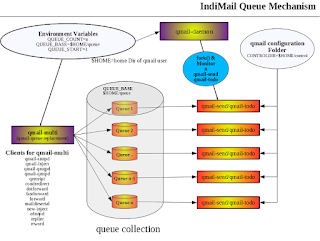
IndiMail Queue Mechanism
Indimail has the ability of configuring multiple local and remote queues. A queue is a location on your hard disk where email are deposited ...
-
IndiMail now has docker images. You can read about installing Docker here . Once you have installed docker-engine, you need to start it. Ty...
-
Installing Indimail using YUM/APT Repository Install OS OpenSUSE openSUSE Leap 42.3 openSUSE Leap 42....
-
By now I have got exhausted answering folks 'Why IndiMail does not have a shared addressbook' IndiMail is a pure messaging platform....